

Hanging around
Display and protect your TV with a wall mount
by MARK RAY
Television mounts are a great way to secure your new flat-screen TV to a wall and free up space in your home. Here’s what you need to know about these handy accessories.
Types of TV mounts
Manufacturers typically offer three basic styles:
- Fixed mounts
- Tilting mounts
- Multi-position mounts
Which should you pick? That depends.
“Fixed is for customers wanting the simplest, lowest-profile mount—great with OLED TVs,” says Geoff Ireland, senior account executive for Costco supplier Kanto.
“Tilting mounts tilt up and down to reduce glare or reflections from lights and windows,” adds Victoria Francisco, senior marketing channel manager for Costco supplier SANUS.
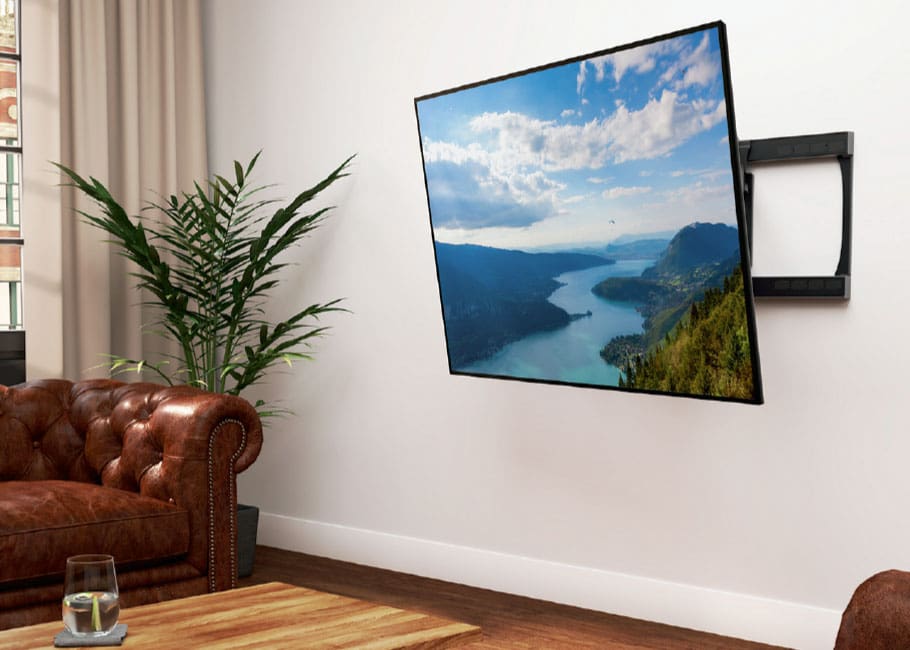
“Multi-position mounts provide additional versatility,” says John McCreath, global sales director for Costco supplier AVF Group. “A fully articulated multiposition mount can be used to offer multiple viewing angles in open-plan living spaces or to perfectly position a screen in the corner of a room,” he says.
What else you should consider
Once you’ve settled on a style, pick a mount that supports your TV’s weight and matches its VESA pattern. “The VESA pattern is simply the spacing of the bolts on the rear of your TV measured in millimetres,” McCreath says.
Where to mount your TV
You can mount a TV pretty much anywhere you have wall space, but that doesn’t mean every spot is ideal. Eye comfort is a big factor, according to Jason Zavarella, Kanto’s product manager. “Line up the centre of the TV with your eyes while seated to reduce eye strain,” he says. “With a large TV you may be a bit shocked about how close the bottom of the TV is to the ground!”
Once your TV is securely mounted to the wall, there’s just one thing left to do: enjoy the show.